Chess Helper.
A small window beside your chess game that shows the best move as you play.
The problem
When you are learning chess, the best moment to ask "what should I play here?" is in the middle of the game. Most chess sites only show their analysis once the game is over. Copying the position into another tab by hand takes so long that you lose the thread of the game.
We wanted a coach that watches the game alongside you, on whatever site or app you already play on.
What we built
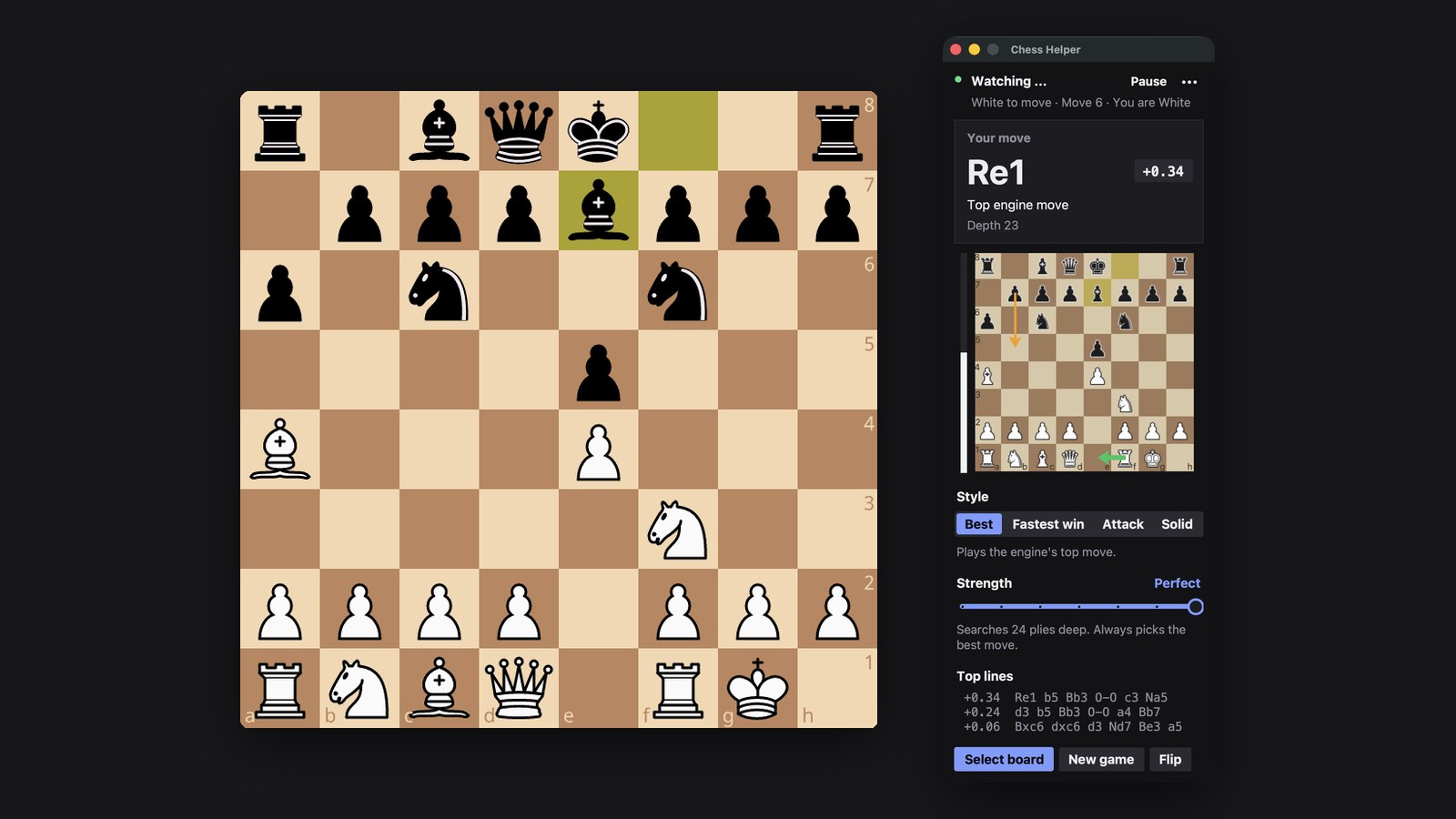
Chess Helper is a small window that stays on screen beside your board. It follows your game as you play and shows you the strongest move in every position.
- Works where you already play
Chess.com, lichess or almost any chess app. Point it at the board once and it starts watching.
- Works with any board style
It learns what your pieces look like in the first game, so custom boards and piece sets work too.
- Keeps up with the game
It follows every move, including captures, castling and promotions. It notices on its own when a new game starts.
- Clear at a glance
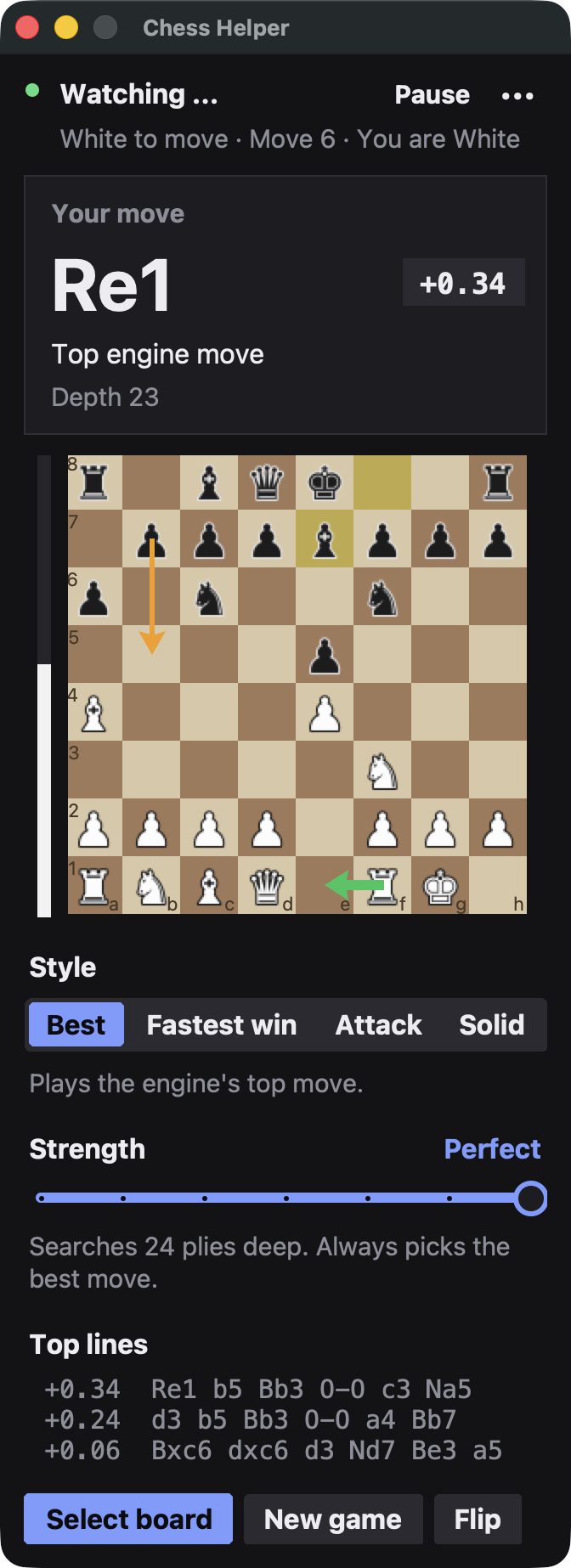
The suggested move appears in large letters with an arrow on a small board. A bar shows who is winning, and a second arrow shows the reply your opponent is likely to play.
- Plays your way
Choose a style (Best, Fastest win, Attack or Solid) and a level from Beginner to Perfect, so the suggestions match how you want to play.
- Gets itself back on track
If it ever loses track of the game, it tells you and catches up with one click.
Where it is now
Chess Helper runs on our own computers today as a TAD Labs project, on Mac and Windows. It is made for practice games against the computer, friendly games and studying positions. Using it in rated games on chess.com or lichess breaks their rules, so it is not meant for those.